Stromwerk
The complete operating system for electrical companies: inspection cycles as plannable revenue, dispatch board with replanning mode, service teams, time clock and invoicing — from the office to the site.
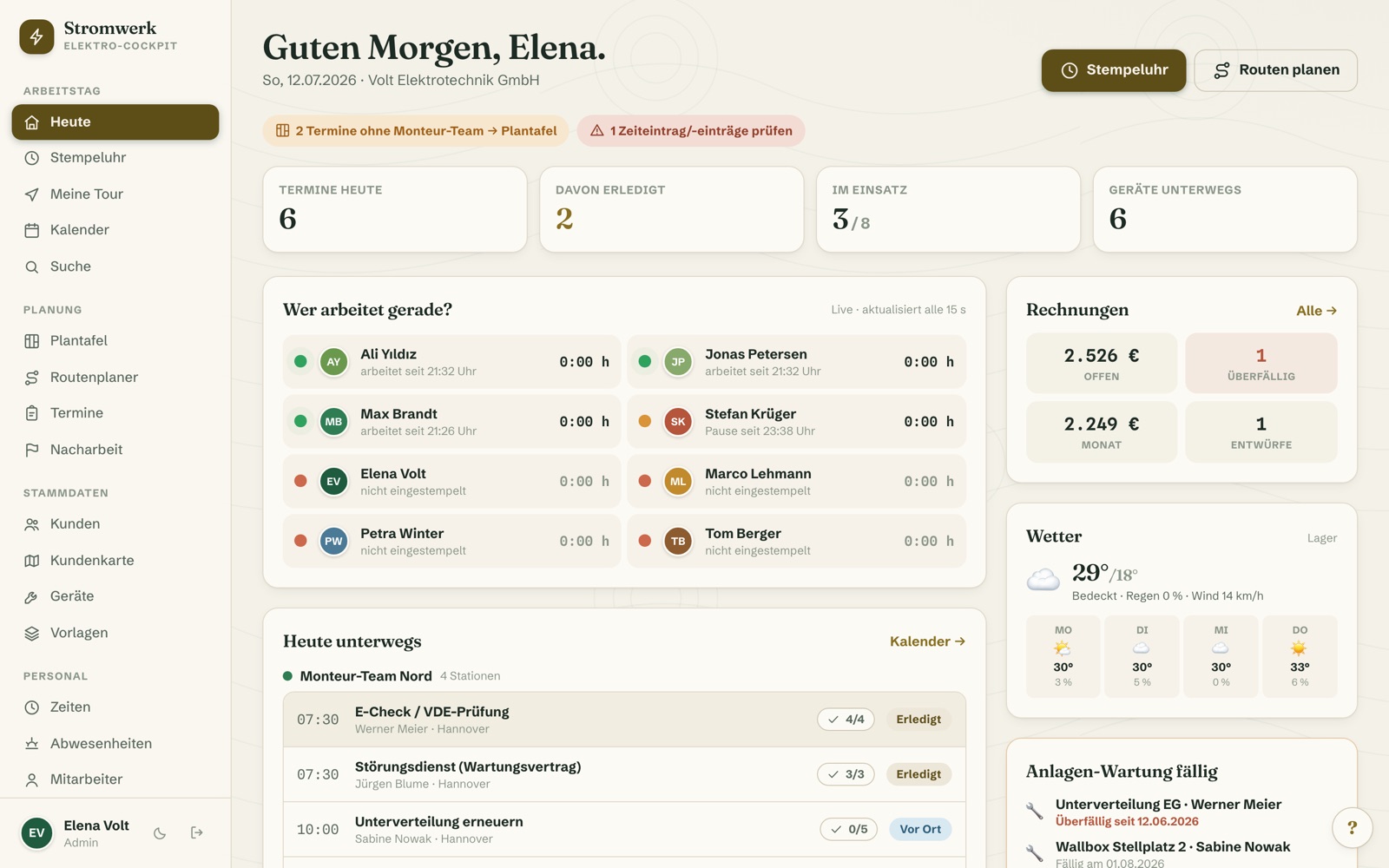
No more card files, magnet boards and Excel
Appointments by shout, hours on paper — and which distribution board is due for its next inspection lives in an Excel list nobody maintains. Stromwerk brings inspection cycles, dispatching, customer files, time tracking, equipment and invoicing together in one system: built for everyday work in an electrical business, from installation to inspections, wallboxes and fault service.
Inspection duties become plannable revenue — and the invoice is written at the door.
Electrician software that reflects the real workday
Hardly any trade has as many recurring duties as electrical work: inspections, periodic testing, wallbox checks — and in between, the fault phone rings. Stromwerk was built for exactly this routine: field-service software for electrical companies that works as well on site as it does at the desk.
Inspection duties become plannable revenue
Everything that recurs in cycles is stored as an asset per customer — the distribution board with its inspection interval, the installed wallbox, the inspection object. The dashboard shows what is due or overdue; one click turns it into the inspection appointment, and after completion “last inspection” rolls forward automatically. Your inspection software runs by itself: history per asset, measurement-report photos on the appointment — and no more Excel list nobody maintains. The equipment park fits right in: the tester carries its calibration date and warns in time — no inspection with an expired calibration.
Fault service without chaos — and the wallbox boom runs along
The “no power in the kitchen” call upends the plan? Replanning mode moves all appointments of a day in one go, the dispatch board makes room via drag & drop, and the fault-service template creates the job with a call-out fee in seconds. And in the wallbox business, the second sale is built in: the “install wallbox” template ships with ready-made invoice positions, the installed wallbox stays as an asset with the customer — the next check is already schedulable.
Invoiced at the door
Inspection done, customer signs on the iPad — and the invoice is created straight from the appointment, with positions from the service template. No evening pile at the office. Full invoicing is a core feature: compliant gap-free numbering, XRechnung e-invoices for commercial clients, property managers and public-sector customers, DATEV export for the tax adviser and one-click dunning. Found defects land as rework at the office — and become the next quote.
Who is Stromwerk made for?
For electrical companies with one or several service teams: installation, inspections and periodic testing, wallbox installation, smart home and fault service — and for every business that finally wants its inspection cycles under control. Whether 3 or 30 employees, the price stays the same, because Stromwerk never charges per user. To get started we recommend the subscription plan from €49.90 per month — whole team included, no per-user fees.
Your software. Your data. Your brand.
- Rent flexibly or own it — With the rental you stay flexible — updates and support included, and on request fully hosted by us in the managed package. And if you prefer to own: when you buy, you run the software on your own web space, with no price hikes and no vendor pulling the plug on you.
- White-label included — Login, app name and interface carry your company name. For your team it is “their” software from the very first login — and your invoices carry your own letterhead.
- Extensible as you grow — Cleanly built and modular by design: modules can be switched off individually, and additional wishes — from quoting to a customer portal — are implemented as extensions at a fixed price.
All features at a glance
Inspection Cycles & Assets
- Everything that recurs in cycles is stored as an asset per customer: distribution board with inspection interval, installed wallbox, inspection objects
- Dashboard shows due and overdue inspections
- One click turns a due asset into the inspection appointment — customer, asset and title prefilled
- “Last inspection” rolls forward automatically after the appointment — the next cycle follows by itself
- Inspection history per asset in the customer file, measurement-report photos on the appointment
- Ride the wallbox boom: installed wallboxes stay as assets with the customer — the next check is already schedulable
Fault Service & Replanning
- Replanning mode: fault call in between? Move all appointments of a day in one go
- Dispatch board makes room via drag & drop — team assignments stay
- Fault-service template with call-out fee — job created in seconds
- Live status board: the office sees which team is where
- Live appointment status: planned → en route → on site → done
Invoices & Numbers
- Invoice straight from the completed appointment — right after the customer signature at the door if you wish
- Positions prefilled from the service template: e.g. inspection flat rate + follow-up hours
- Compliant, gap-free invoice numbering (GoBD); number range freely configurable — existing businesses continue seamlessly
- Invoice PDF with your own letterhead, small-business VAT rule selectable
- E-invoicing: XRechnung export, officially validated — for commercial clients, property managers and public-sector customers
- DATEV export for your tax adviser: posting batch + document PDFs
- Open-items overview, payment entry, payment reminders & dunning with one click
- Email dispatch straight from the system (your own SMTP or SendGrid)
- Modules can be switched off individually
Planning & Dispatch
- Dispatch board: drag & drop jobs onto day and service team
- Workload indicator per team and day — overbooking visible instantly
- Service templates (inspection, distribution board, wallbox, smart home, fault service) with checklist, tools, target duration and price positions
- Recurring appointments — perfect for inspection and maintenance contracts
- Create a follow-up appointment with one click when finishing
- Holidays, sick days and days off right in the calendar
- On-site intake: capture photos, GPS & checklist — one click turns it into a job
Calendar & Appointments
- Month, week and day views with team colours
- Appointment editor with inspection checklists: visual check, insulation/loop measurement, RCD trip test, report & defect list
- Tick tools onto a job — with availability warnings
- Comment thread between site and office, with photo references
- Global search across customers, assets and appointments
Customers & Properties
- Customer file with master data, contacts and notes
- Electrical property data: distribution board (year/condition), number of circuits, RCD present yes/no, wallbox yes/no
- Access and driveway notes for the service teams
- Customer history as a timeline: appointments, photos, hours, invoices
- Per-customer statistics: hours and trips per year
- CSV import from Excel, with duplicate warnings
- Tags, automatic customer numbers and address geocoding
Time Tracking & Staff
- Big time clock: start, break, end of day — one tap is enough
- Works offline and syncs as soon as reception returns
- Per-site time: hours per customer and property
- Live status board: who is working, who is on break — with pulse indicator
- Target/actual comparison and overtime balance per employee
- Public holidays applied automatically by federal state
- Holiday account with remaining balance
- CSV export for payroll
- Printable monthly timesheet for signing
- Office time corrections — fully logged
Out in the Field
- “My tour today”: properties in order with property data per stop — distribution board, circuits, RCD status
- Full history and access notes on site — even offline
- Tick off tasks with a fingertip, attach the measurement-report photo to the appointment
- Report defects as rework — the office turns them into the next quote
- Customer signature at the door — then the invoice is created directly
- One-tap navigation to the property (Apple / Google Maps)
- App icon on the home screen, large touch targets
Equipment & Machines
- 10 electrical tools preloaded: installation tester, cable finder, wall chaser, SDS+ rotary hammer, cable puller & draw tape, crimping & stripping set, thermal camera, insulated ladder set, site power distributor, service van
- Calibration reminder for the tester — no inspection with an expired calibration
- Availability check when creating appointments: conflicts visible instantly
- Warning instead of blocking — you decide
- Dashboard widget “tools out today”
- Maintenance and calibration dates with due-date warnings
Cockpit & Office
- Business statistics: hours per team, completed jobs, top customers, kilometres driven
- Open items, monthly revenue and due inspections right on the dashboard
- Daily wrap-up: the whole day at a glance
- Notifications: “your tour is ready”, “appointment changed”, “rework reported”
- Bulletin board for team announcements
- Calendar feed for iPhone and Google Calendar (iCal)
- One-click backup: database and photos as a ZIP
- Dark mode and guided intro tours on every page
- Demo data included — assets with due inspections, 10 tools and priced templates from minute one
Permissions & Security
- Employee accounts with roles: admin, office, foreman, worker
- Fully configurable permission matrix — not everyone may do everything
- Everyone only sees what concerns them: own tour, own hours
- Audit log: who changed what, and when
- Photos are automatically stripped of GPS and camera data
- Secure logins, session protection and validated uploads
—
One price per company
No per-user fees — the whole team is included. Pick the plan that fits your company size.
Basis
Für Solo-Betriebe und kleine Trupps — bis 5 Mitarbeiter
≙ 49,90 € / month
plus VAT · bis 5 Mitarbeiter
Pro
Für etablierte Betriebe — bis 15 Mitarbeiter
≙ 94,90 € / month
plus VAT · bis 15 Mitarbeiter
Premium
Für große Betriebe, GU und Agenturen — unbegrenzt
≙ 169,90 € / month
plus VAT · unbegrenzt
Optional add-on modules
Add these individually — depending on the module, already included from Pro or, at the latest, from Premium.
Prefer a one-time purchase or a custom solution? Purchase & custom solutions on request →
Compare all features
“+” marks features available as an optional add-on module.
| Feature | Basis | Pro | Premium |
|---|---|---|---|
| Core | |||
| Calendar & scheduling board | |||
| On-site project intake (photos, GPS, checklist) | |||
| Customer management with map | |||
| Time clock (offline) with target/actual balance | |||
| Photo documentation | |||
| Customer signature | |||
| Notice board | |||
| Weather | |||
| Absences & holidays | |||
| PDF designer for invoices & quotes (incl. GiroCode payment QR) | |||
| Office & finance · Planning & sites | |||
| Invoices incl. XRechnung | — | ||
| Projects & sites | — | ||
| Route planner | — | ||
| Equipment management | — | ||
| Assets & inspection intervals | — | ||
| Business statistics | — | ||
| Area measurement | — | ||
| Customer portal & service · Dispatch center | |||
| Customer portal | + | + | |
| Ticket system | + | + | |
| Knowledge base | + | + | |
| Access credentials vault incl. portal handover | + | + | |
| Project tasks | + | + | |
| Recurring invoices | + | + | |
| Dispatch center | + | + | |
| Messages | + | + | |
| Mailbox (email client) | + | + | |
| Landing page builder (campaign pages via drag & drop) | + | + | |
| AI chatbot for your own website (knowledge base + live takeover) | + | + | |
| Mind maps with templates, sharing & AI | + | + | |
| File storage & sharing | + | + | |
| Forum (SEO forum, customer community, internal team forum) | + | ||
| Support | |||
| Email support | |||
| Phone support | — | ||
| Dedicated contact + onboarding call | + | + | |
What flat-rate pricing saves you
Providers that charge per user get more expensive with every employee. We don’t.
Provider with per-user pricing
≈ € / month
Our “Pro” plan (yearly)
/ month — whole team included
Your estimated savings
€ / year
Non-binding example calculation, comparison price estimated.
Not sure which plan fits?
We advise for free – tell us briefly what you need, we usually reply within one business day.
Frequently asked questions
What does Stromwerk cost?
With Stromwerk you pick one of three plans — Basis €59.90/month (€49.90 billed yearly) for up to 5 employees, Pro €114.90 (€94.90 yearly) for up to 15 employees, Premium €199.90 (€169.90 yearly) for unlimited employees. Hosting, updates and support are always included, and you can switch anytime. Inspection-cycle management and invoicing are included in every variant, and you never pay per user.
Can I manage inspection and testing cycles?
Yes — that is the core of Stromwerk: assets are stored per customer with an inspection interval, the due list on the dashboard shows what is coming up, one click turns a due asset into the inspection appointment, and after completion the cycle rolls forward automatically. The inspection history per asset and measurement-report photos on the appointment make every visit traceable.
Does the system remind me to calibrate my testers?
Yes — every tool can carry maintenance and calibration dates. The tester is set up that way in the demo: the dashboard warns in time before the calibration expires — so no inspection happens with an expired calibration.
Is it fit for fault service?
Yes — it is built for it: replanning mode moves all appointments of a day in one go when a fault call comes in, the dispatch board makes room via drag & drop, the fault-service template creates the job with a call-out fee in seconds — and the live status board shows the office which team is where at any time.
Can I write invoices with Stromwerk?
Yes — invoicing is a core feature, not a paid add-on. Invoices are created straight from the completed appointment, right after the customer signature at the door if you wish, with positions prefilled from the service template. Invoice numbers are compliant and gap-free, the number range is freely configurable — existing businesses continue seamlessly from their last number. Plus: PDF with your own letterhead, open items, payment reminders and dunning with one click. If you prefer to work without the invoicing module, simply hide it.
Does Stromwerk support XRechnung?
Yes — invoices can be exported as officially validated XRechnung e-invoices. Especially with commercial clients, property managers and public-sector customers, that puts you on the safe side. Dispatch goes straight from the system by email, via your own SMTP server or SendGrid.
Does my tax adviser get the data?
Yes, with one click: the DATEV export produces the posting batch plus all document PDFs for the chosen period — ready to hand over to the firm.
What do I need to run Stromwerk?
A completely normal web hosting package with PHP and a MySQL database — no special server, no forced cloud. We handle installation and setup. And with the fully managed package you need nothing at all: Stromwerk then runs entirely on our servers.
Can I test Stromwerk beforehand?
Yes — the live demo is open to everyone: a complete installation with a sample company, two service teams, 10 tools, priced templates and customers with stored assets including a due distribution board and wallbox. Tap “Als Chef testen” (test as boss) on the login page, done. The demo resets itself every 30 minutes. And if you want to compare several trades: the demo hub at demos.pixagentur.com shows all live demos at a glance.
Does it work on the iPad and without reception?
Yes. Stromwerk is a web app (PWA) with an app icon on the home screen. The time clock and daily tour — including property data and history — work even without reception and sync as soon as the network returns.
Does the software run under my company name?
Yes — white-label is included. Login, app name and business details carry your company, and your invoices appear on your own letterhead.
What about data protection?
Your customer and employee data lives on your own server — not in someone else's cloud. Roles and permissions control who sees what, an audit log documents changes, and uploaded photos are automatically stripped of GPS data.
Can Stromwerk be adapted or extended for my company?
Yes. Modules can be switched off individually, and from extra fields to entire extensions — such as quoting or a customer portal — we build additions on request at a fixed price. The fastest way is our ticket system: describe your wish and we reply with a fixed-price quote.
Is there a discount for founders and young businesses?
Yes, gladly. Just getting your electrical business off the ground? Then our founder promo applies: 15 % off any plan for the first 12 months. From month 13 the regular price applies. Just mention in your inquiry that you founded recently.
Zahle ich pro Nutzer?
Nein. Der Preis gilt pauschal pro Betrieb bis zur Team-Grenze deines Pakets (Basis 5, Pro 15, Premium unbegrenzt) — keine Nutzerlizenzen, keine versteckten Kosten pro Mitarbeiter.
Wie kann ich kündigen?
Das Monats-Abo kannst du zum Ende jedes Monats kündigen, das Jahres-Abo zum Ende der Laufzeit — direkt in deiner Mitgliedschaft, kein Anruf nötig.
Gibt es eine Testphase?
14 Tage kostenlos testen, danach jederzeit kündbar. Keine automatische Abbuchung ohne dein Okay.
Wo liegen meine Daten?
Auf deiner eigenen Instanz mit eigener Datenbank, gehostet auf deutschen Servern. Deine Daten werden nicht mit anderen Kunden geteilt.
Welche Zahlarten gibt es?
Kreditkarte, PayPal und SEPA-Lastschrift.
Related modules
 ★ Featured
v1.0
★ Featured
v1.0
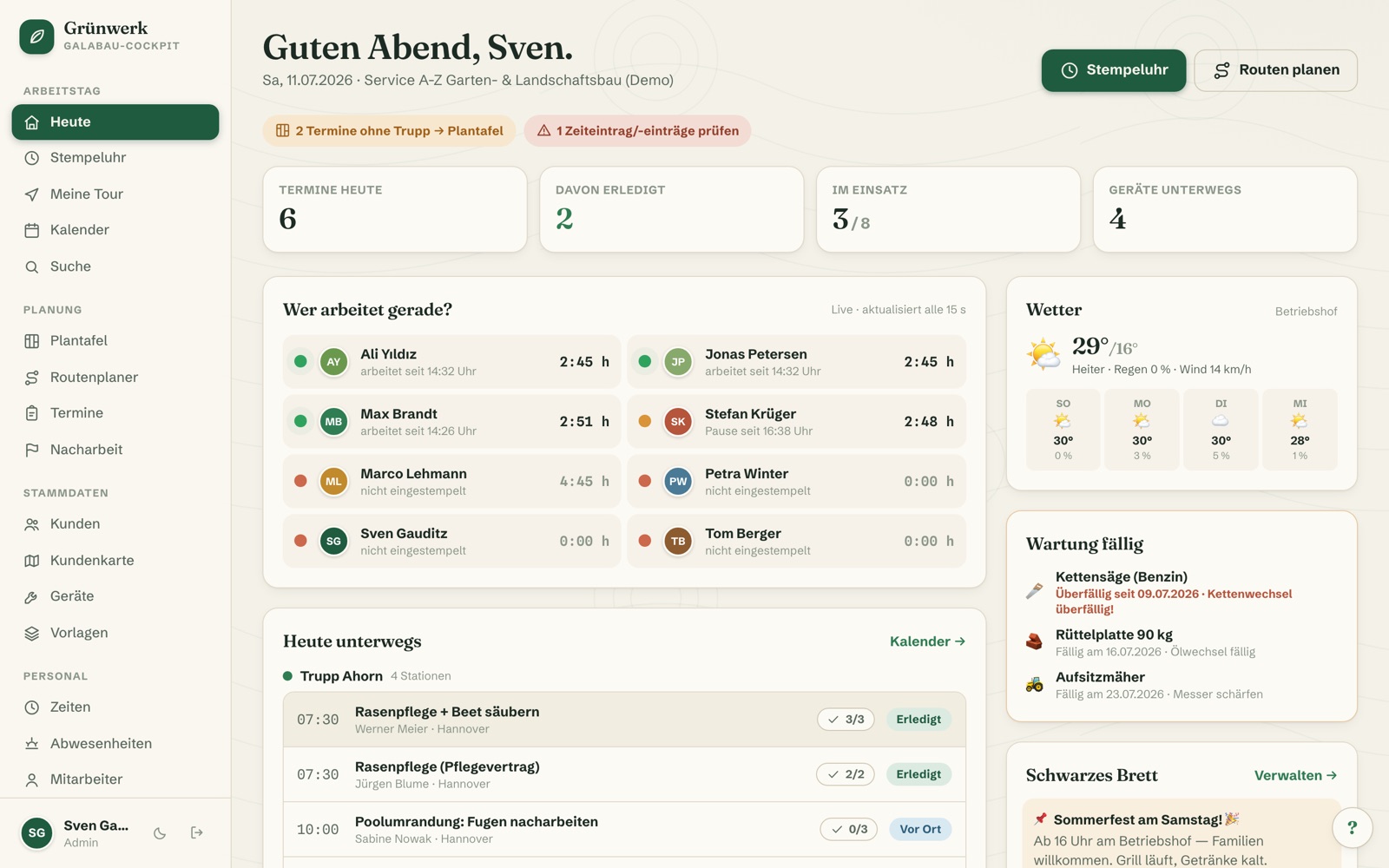
Grünwerk
The complete operating system for landscaping companies: dispatch board, crews, routes, time clock, equipment and customer files — from the office to the iPad on site.
 ★ Featured
v1.0
★ Featured
v1.0
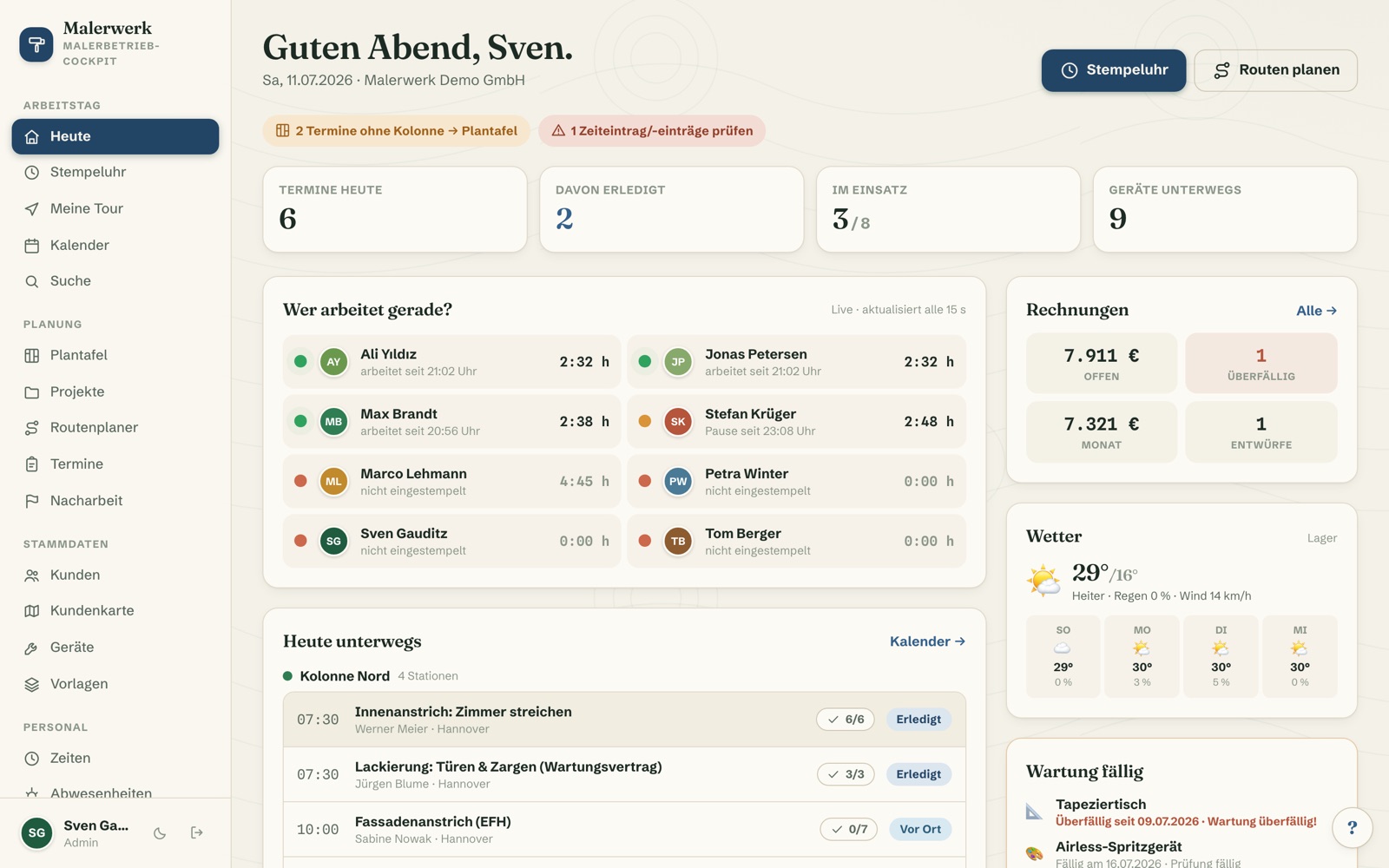
Malerwerk
The complete operating system for painting businesses: dispatch board, crews, customer files, time clock, equipment and invoicing — from the office to the iPad on site.
 ★ Featured
v1.0
★ Featured
v1.0
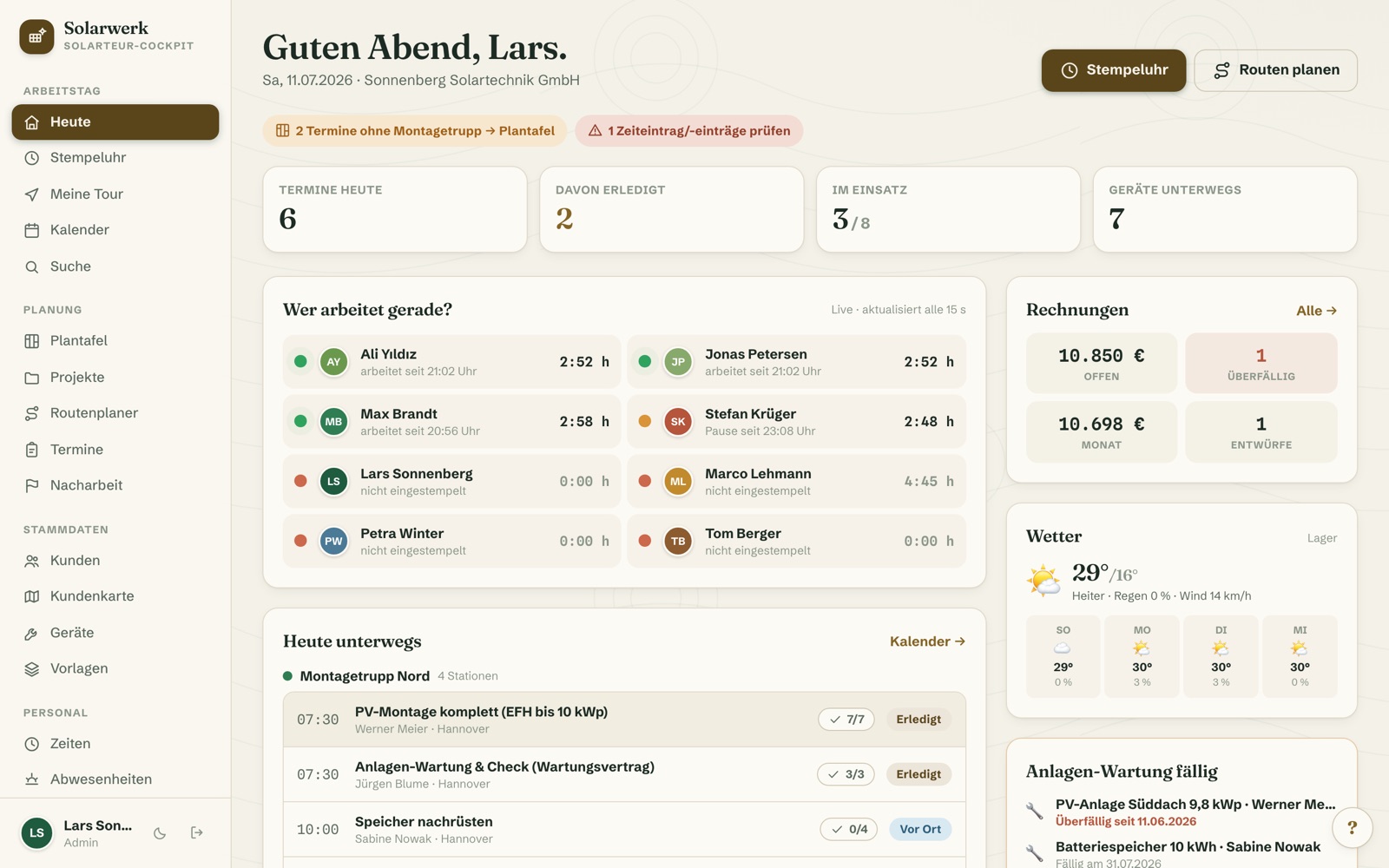
Solarwerk
The complete operating system for solar installation companies: dispatch board, crews, asset management with recurring maintenance, time clock, project files and invoicing — from the office to the roof.
 ★ Featured
v1.0
★ Featured
v1.0
Dachwerk
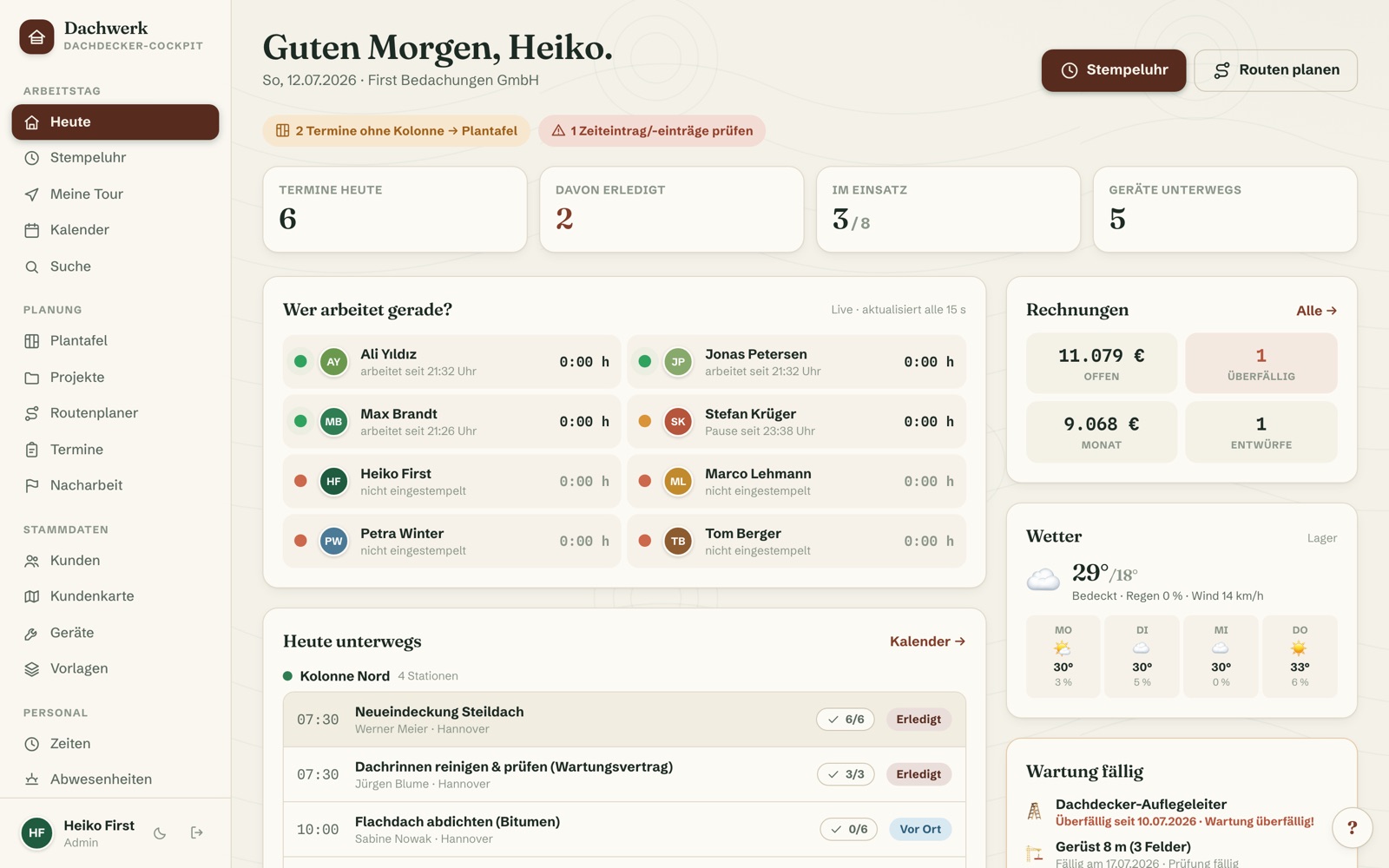
The complete operating system for roofing companies: weather-aware dispatch board, crews, customer files with roof data, emergency documentation, time clock and invoicing — from the office to the roof.